
 Options
Num 1 – Infinite Health
Num 2 – Infinite Stamina
Num 3 – Infinite Items/Ammo 
Num 4 – Items Won’t Decrease
Num 5 – Healing Items No Cooldown
Num 6 – Grenades No Cooldown
Num * – Projectile Launch System No Cooldown
Num 7 – No Reload
Num 8 – Super Accuracy
Num 9 – No Recoil
Num 0 – One Hit Kill
Num . – Damage Multiplier
Num + – Defense Multiplier
Num – – Stealth Mode
Ctrl+Num 1 – Edit Money
Ctrl+Num 2 – Infinite XP
Ctrl+Num 3 – XP Multiplier
Ctrl+Num 4 – Infinite Street Cred
Ctrl+Num 5 – Street Cred Multiplier
Ctrl+Num 6 – Max Skill XP/Progression
Ctrl+Num 7 – Skill XP Multiplier
Ctrl+Num 8 – Edit Attribute Points
Ctrl+Num 9 – Edit Perk Points
Ctrl+Num 0 – Edit Relic Points
Ctrl+Num . – Ignore Cyberware Capacity
Ctrl+Num + – Set Game Speed
Alt+Num 1 – Infinite RAM
Alt+Num 2 – Freeze Breach Protocol Timer
Alt+Num 3 – Infinite Components
Alt+Num 4 – Infinite Quickhack Components
Alt+Num 5 – Edit Max Carrying Weight
Alt+Num 6 – Set Movement Speed
Alt+Num 7 – Super Jump
Alt+Num 8 – Infinite Double Jumps (Reinforced Tendons)
Alt+Num 9 – Edit Player Level
Alt+Num 0 – Edit Street Cred Level
Alt+Num . – Freeze Daytime
Alt+Num + – Daytime +1 Hour
Shift+F1 – Edit Headhunter Skill Level
Shift+F2 – Edit Netrunner Skill Level
Shift+F3 – Edit Shinobi Skill Level
Shift+F4 – Edit Solo Skill Level
Shift+F5 – Edit Engineer Skill Level
Shift+PageUp – Enable Fly Mode
Shift+Num + – Set Fly Height
Shift+Num – – Set Fly Speed





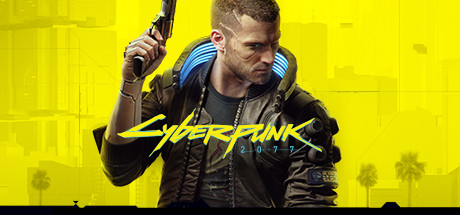









Trainer works with the 1.06 patch.THX @ Fling 🙂
really?
The Stealth option isn’t working.
It works for me.
Same here, it works for me as well. GOG version.
Doesn’t work for me since it crashes to desktop not that long after the game has been opened… 🙁
launch the game first, then in the main menu launch the trainer, it wont work otherwise
The 1.05 Trainer CANNOT works with the 1.06 patch,
When you edit Player Level and Street Cred Level,
it WON’T add two types of points simultaneously.
Thank you
I tried lots of times but it won’t add the attribute and perk points.
@ ts z it works fine on my side you must be doing it wrong I just started a new game every option is working try changing the level and street creds with menu closed and then open.
everything on the trainer is working perfect for patch 1.06
when Fling makes a trainer it lasts, it takes a bit for a game to break it most of teh times its huge patches that break it fling is the best
Thank you
I tried lots of times but it won’t add the attribute and perk points, it only add the level and street creds but won’t add attribute and perk points simultaneously
It’s still closing after a few minutes for me and I have to restart the game, otherwise I get the following:
—————————
Error Message
—————————
Address not found, please try to restart the game & trainer.
If this error still occur, please contact me at FLiNGTrainer.com or at 3DMGAME.
Be sure to include the following data (Press Ctrl+C to copy).
Process ID: 000073AC
Search Range: 00007FF641380000 – 00007FF6462B3000
Bytes Searched: 79.20 MB
Signature: 44 8B 47 20 4C 03 C1 4C 89 ** ** 48 8B 07
Trainer Version: Cyberpunk 2077 v1.03-v1.05 Plus 32 Trainer
—————————
OK
—————————
Will there be an update?? They just updated the game to 1.06
Trainer works fine. All options work.
That’s nice and all, but what about the trainer crashing to desktop for not only myself but other people as well? I have also tried restarting my computer but it still keeps happening…
Mr. FLiNG, please update the trainer to 1.06. Thank you very much!
Thank you very much
@Fling suggestion/request
1.05 trainer didn’t work with 1.06 version on my pc. Not even the “infinte health” is working. Dead after one hit.
Trainer works not with the 1.06 patch on my pc. I`m dead after one hit.
When you impersonate johnny silverhand the trainer doesn’t work. I get immediately killed
carry weight not working in 1.06
we need 1.06
Can you make the settings, Save on exit… so we can start the trainer with pre-saved settings. via the “trainersettings.ini” located in, C:\Users\Administrator\AppData\Local\FLiNGTrainer